HTVRont A100 Review: My Honest Takeaway After Testing It
This post is sponsored by HTVRont. I received the A100 heat press to test, and all opinions, settings and results below are my own.
*This post may contain affiliate links and I'll earn a commission if you shop through them. You can read my full disclosure here.
What Is the HTVRont A100 Heat Press
The HTVRont A100 is a small heat press that swaps between three jobs. One base unit works as a flat heat press, a hat press and a tumbler press, and you just change out the module on top depending on what you are making.
If your craft space is a corner of a dining room or a single shelf in a closet, that is exactly the problem this press is trying to solve. Instead of storing three separate machines, you store one press and three small attachments.
What Comes in the Box
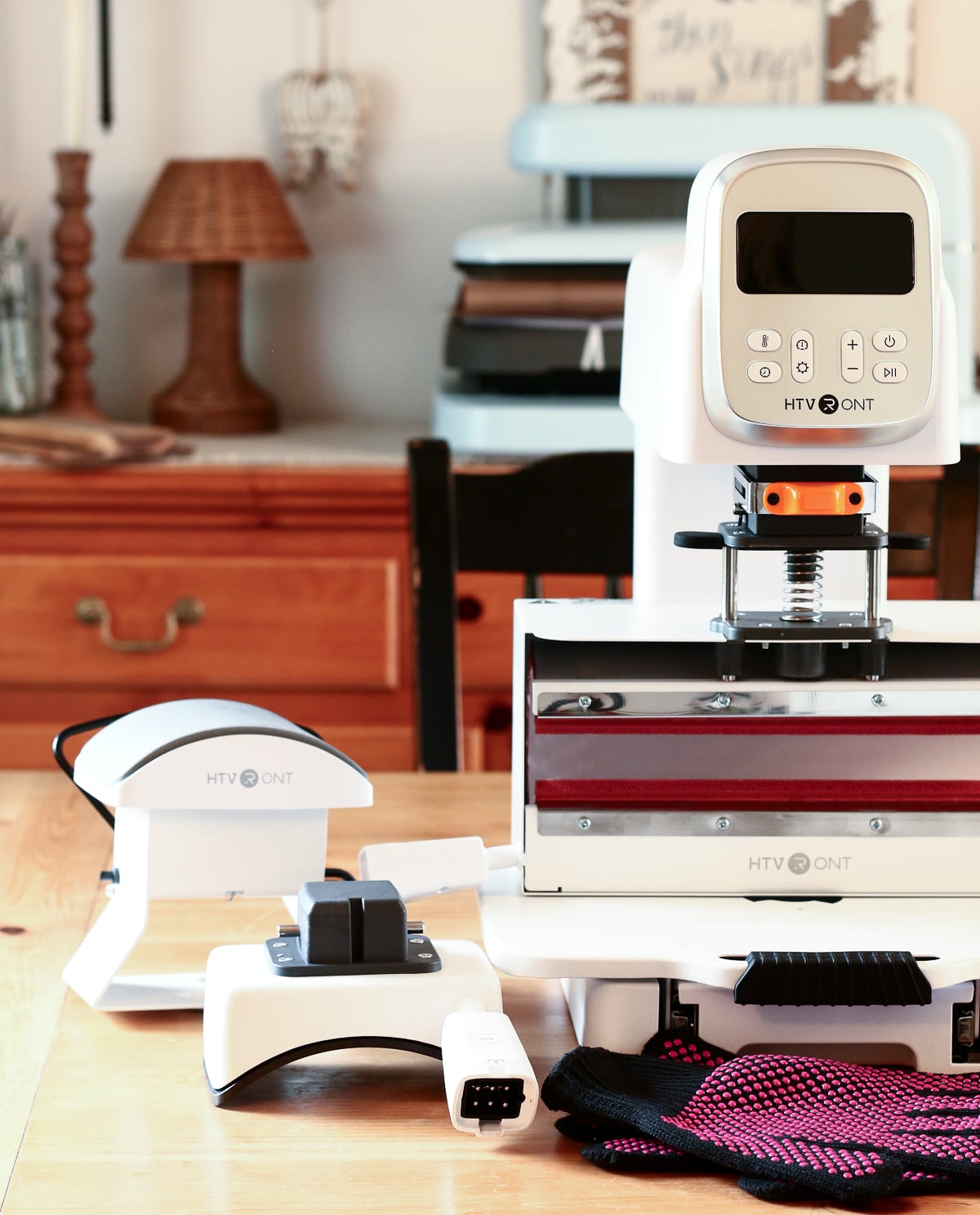
Here is everything included with the A100:
- The base press unit with a pull out tray
- A flat heat press module plus a pressing mat
- A hat press module with upper and lower platens
- A tumbler press module
- A pair of heat resistant gloves
- A quick start guide
The flat heat press module measures about 12 inches by 10 inches, which is enough room for most shirts, towels and smaller signs, though it is worth knowing upfront that it is not built for oversized designs.
How to Switch Between Modes
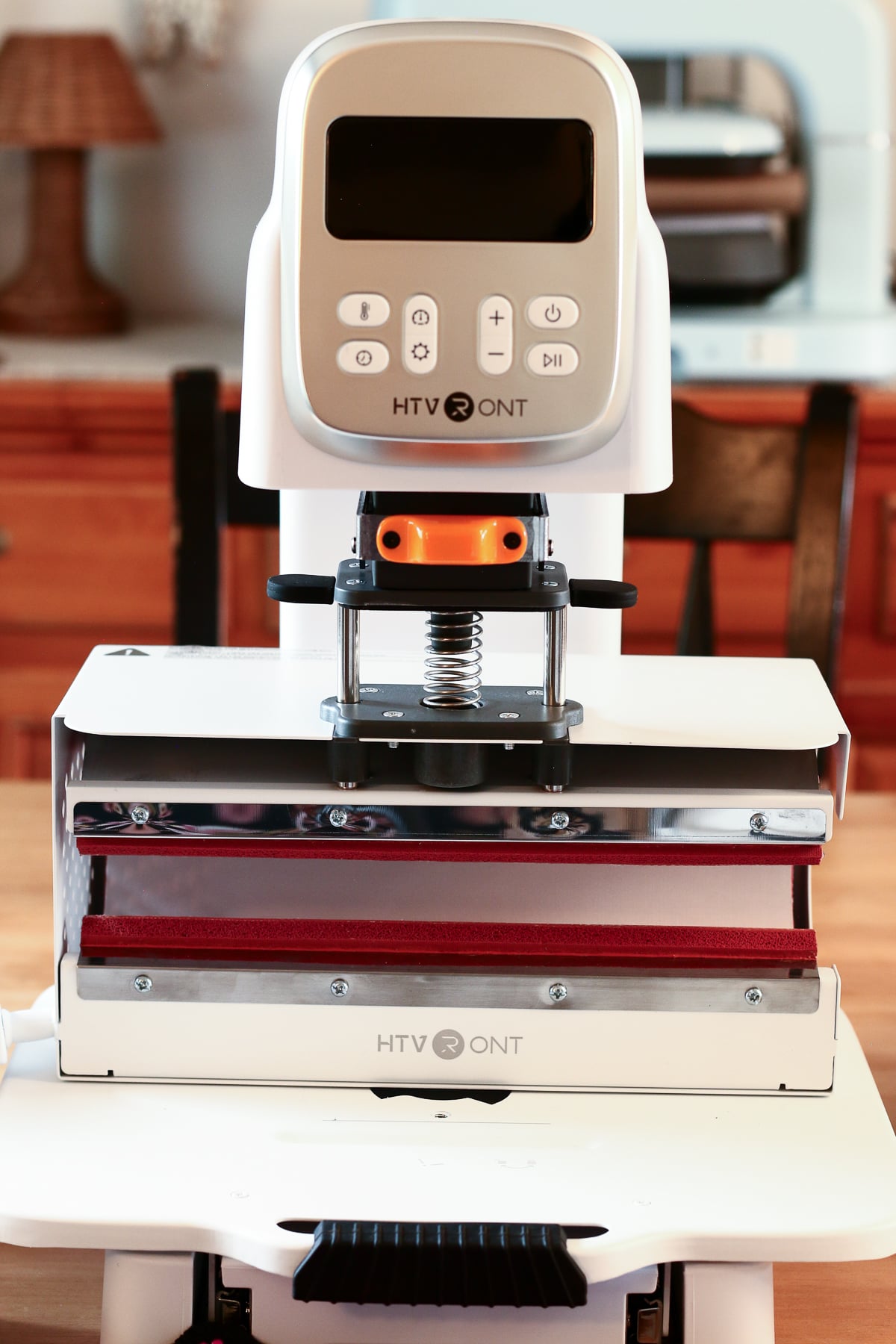
Changing modules is simpler than I expected. You hold down the mode button on the base to cycle through t-shirt mode, tumbler mode, hat mode and a custom mode. Custom mode raises the press higher so you can fit thicker items like puff HTV or layered blanks.
Once you pick a mode and hit start, the press adjusts itself to the right height automatically. From there you slide on the module you need, plug in its connector cable, and you are ready to set your temperature, time and pressure.
The pressure dial is a nice touch. You can turn it up for things that need a firm push, like puff HTV or a hat with thick seams, and turn it down for lighter jobs like a simple DTF print.
Testing the Tumbler Press on My Sublimation Cup
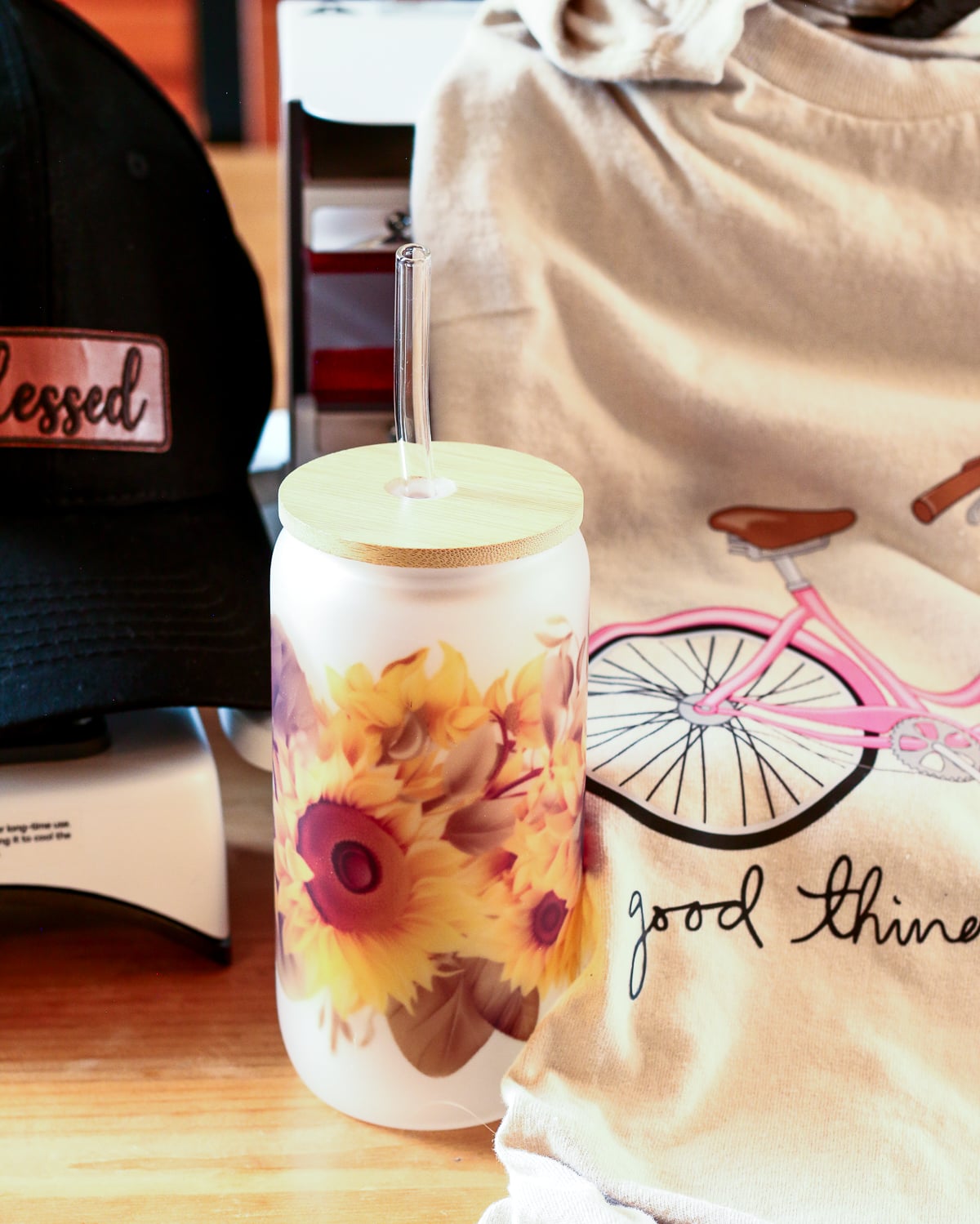
For this test I pressed a 16 oz frosted cup with a sublimation wrap printed on my Epson F170.
I followed the manual exactly regarding temperature and time (365 degrees for 300 seconds) and the cup turned out perfect! I wish my photo could capture how pretty it is but I love it! I'm going to probably give it away as a gift to someone but I'm second guessing that option and may just keep it for some iced tea or coffee.
A tip worth passing along either way: the tumbler module is sized for a standard 20 oz tumbler. Anything larger, like a 15 oz ceramic mug (these are much wider than a tumbler), is going to be a tight squeeze and may need a couple of test runs before you get a clean wrap. I prefer the 12 ounce Cricut sublimation mugs so that's what I would recommend. That way you get a nice clean 'print' and there's no forcing of the mug involved.
Testing the Hat Press with a DTF Transfer
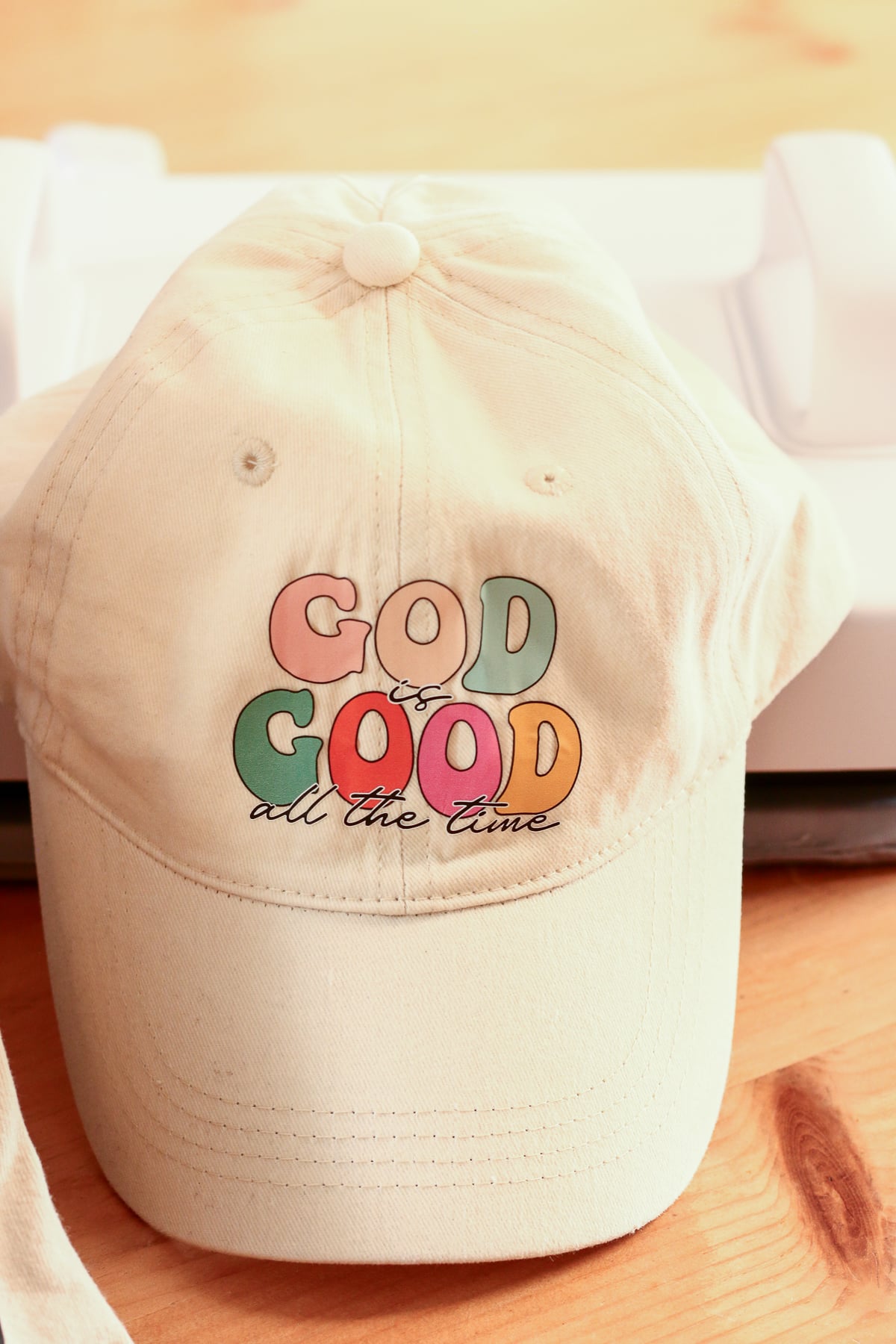
I made two hats with the hat press. For one I used a DTF transfer and for the other I used a faux leather patch.
For both hats I prepressed at 300 degrees for 5 seconds then placed the transfer (and patch) in place holding it with heat transfer tape, covered with heat press protective paper, then pressed at 300 degrees for 15 seconds. Once the hat was cool I removed the transfer film.
The hat module locks in with a simple twist, and the back lever pulls the hat snug before you press. It took a bit of trial and error to get the fit right the first time, but that is true of pretty much every hat press on the market.
Testing the Flat Press with a DTF Shirt Transfer
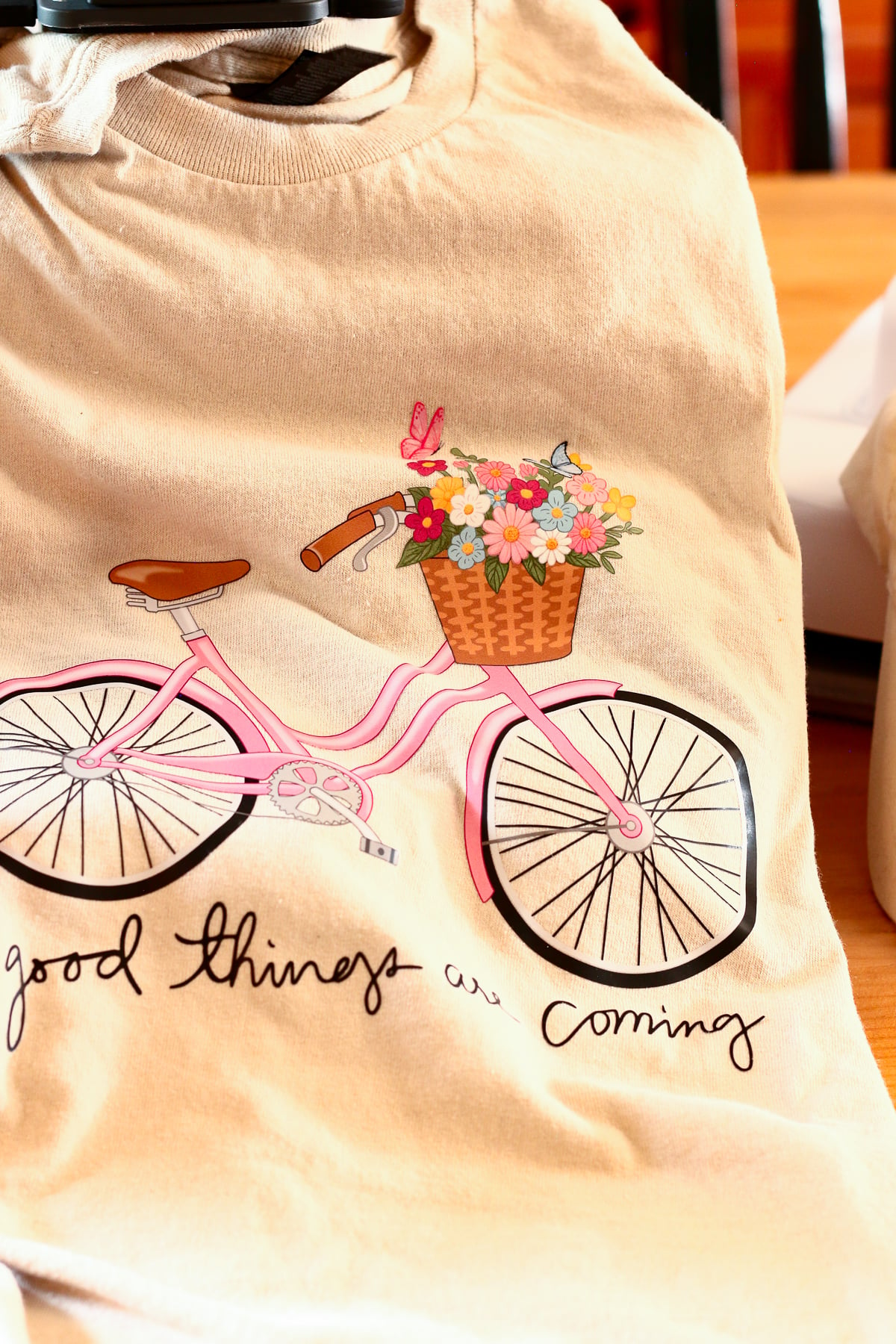
I used a Gildan tee as my base and a purchased DTF transfer. I got my DTF transfers from Hobby Lobby. They had a nice selection and I found transfers I like but you can also check Ninja Transfers. I don't have any affiliation with them and have never ordered from them but I've heard a lot of good things so that's an option!
I prepressed my shirt to warm it up at 300 degrees for 5 seconds, put my transfer on the shirt and held it in place with heat resistant tape , covered it with a Teflon sheet, and then pressed at 300 degrees for 15 seconds. I let it cool off completely before removing the transfer film.
The flat module gives you a full 12 by 10 inches to work with, which is plenty of room for a standard shirt design, and the auto open feature meant I did not have to hover over the timer while it pressed.
Pros and Cons of the HTVRont A100
Pros
- Small footprint, so it fits on a shelf or a corner of a table
- Three tools in one, which means one machine to store instead of three
- Adjustable pressure that goes firm enough for puff HTV
- Auto open when the timer ends, so you are not stuck watching the clock
- Quick module swaps once you get the hang of the cable connections
- The flat heat plate is removable, which opens the door to pressing oversized flat items like quilts or tablecloths, not just shirts and towels
Cons
- The flat press bed is on the smaller side, so oversized designs will not fit
- The tumbler module is built for 20 oz tumblers, so larger mugs are a tight fit
- Not a lot of throat room behind the press, so bulky sweatshirts or hoodies take some extra maneuvering
Who the HTVRont A100 Is Best For
This press makes the most sense for hobby crafters who do not have room for three separate machines, and for anyone starting a small heat press business from home who wants to test the waters before investing in bigger, single purpose equipment.
If you love to craft but you are short on space, this press is worth it for the small footprint alone. And honestly, even if you have plenty of space, the easy swap between plates makes it convenient in a way that storing three separate machines never is. I do not love pulling gear out of storage every time I want to switch projects, and this machine skips that step completely.
If you mostly make oversized designs or work with tumblers larger than 20 oz, you may want a bigger dedicated press instead.
My Honest Take
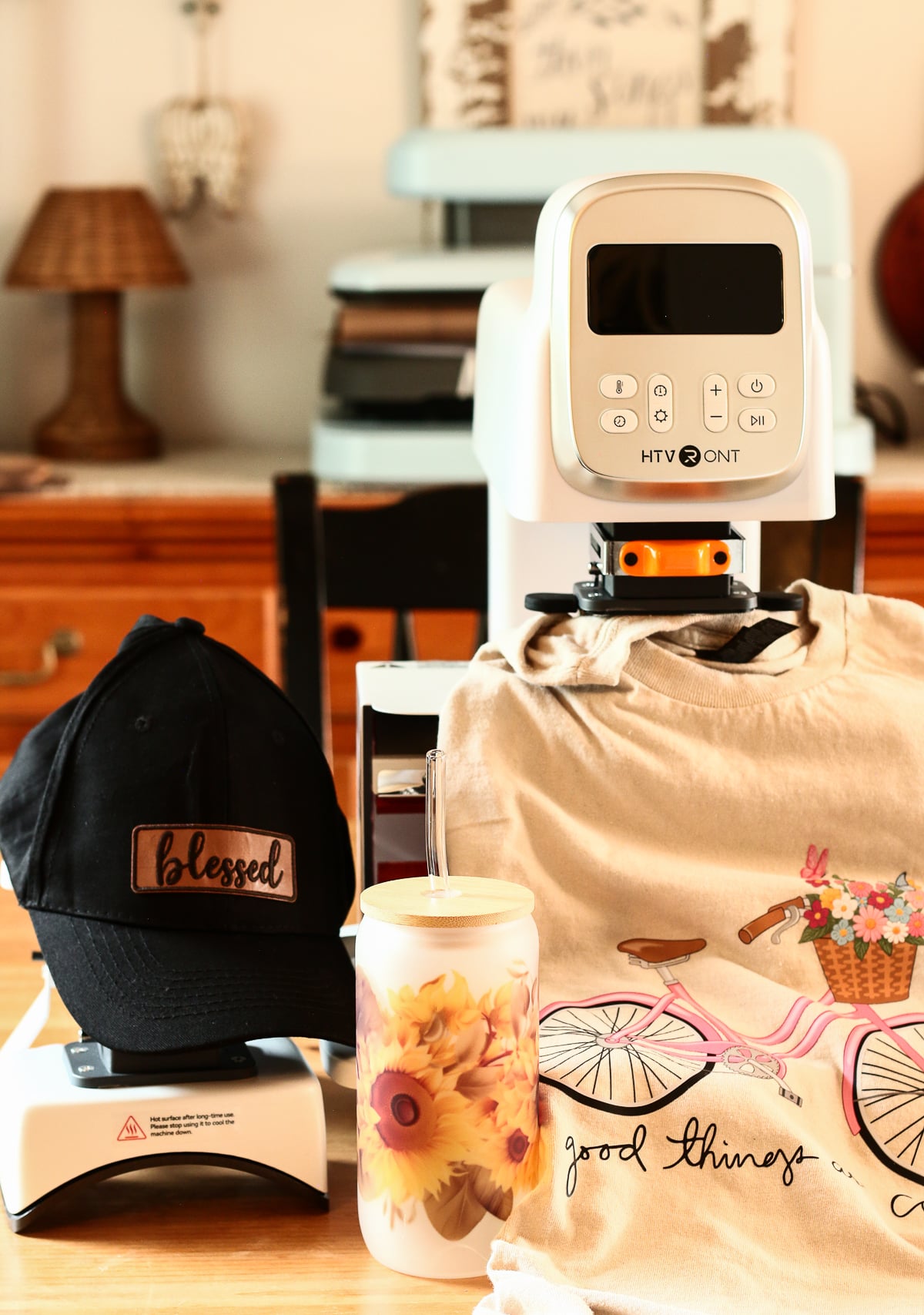
I loved this machine. There is a short learning curve on switching between the three heat plates, but the manual walks you through every step clearly, which made the process easy instead of confusing. Once I figured out how to swap from the flat plate to the tumbler plate to the hat plate, I was on my way, and everything I made turned out perfectly.
Doing this for a living can get stressful, but using the A100 genuinely made me happy to create again. I am leaving mine out on my dining room table, which is my current craft station, so I can press a few more gift items for friends this weekend. If a heat press can make you excited to get back in your craft space, that says a lot.
Try It for Yourself
If you want to give the HTVRont A100 a try, grab your favorite sublimation blanks or DTF transfers and start with something small like a towel or a tote. And if you want more sublimation projects like this one, join my email list below for new tutorials as I post them.
My Honest HTVRont A100 Review FAQ
What is the HTVRont A100 heat press used for?
The A100 is a modular heat press that switches between three jobs. One base unit works as a flat heat press for shirts and totes, a hat press, and a tumbler press, using swappable attachments instead of three separate machines.
Can the HTVRont A100 press tumblers and mugs?
Yes, using the tumbler module. It is sized for a standard 20 oz tumbler and smaller mugs press well too. Larger mugs, like a 15 oz ceramic mug, are a very tight fit and may take a couple of tries to get right.
How big is the flat heat press module on the A100?
The flat heat press module measures about 12 inches by 10 inches. That is enough room for shirts, towels, totes and smaller signs, but oversized designs will not fit the full plate.
Is the HTVRont A100 good for starting a small heat press business?
It can be a solid starting point. The small footprint and 3 in 1 design let you test hats, tumblers and shirts without buying three machines, though a growing business may eventually outgrow it for high volume orders.
How do you switch between the heat press, hat press and tumbler modules?
Hold the mode button on the base to cycle between t-shirt, tumbler, hat and custom modes. The press adjusts its height automatically for the mode you pick, then you slide on the matching module and connect its cable.
Does the HTVRont A100 have adjustable pressure?
Yes. You can increase pressure for jobs that need a firm push, like puff HTV or a hat with thick seams, and decrease it for lighter jobs like a simple DTF print.
Does the HTVRont A100 open automatically when pressing is done?
Yes, it is an auto open press. Once your set time runs out, the press lifts on its own, so you do not have to stand there watching the clock during every press.
Where can you buy the HTVRont A100 heat press?
You can find the current price and availability through the link in this post.