HTVRont Auto Heat Press 2 Review: My Honest Results
*This post may contain affiliate links and I'll earn a commission if you shop through them. You can read my full disclosure here.
If you've been thinking about upgrading from a basic iron or a manual clamshell press, I want to tell you about the HTVRont Auto Heat Press 2 because it genuinely surprised me.
I used it to make a glitter HTV tote bag as part of an America 250 project, and I have to be honest with you: this machine was the star of the show. It was super easy to use, worked beautifully from the very first press, and it has me planning a whole lineup of new iron-on and sublimation projects I never would have attempted with my old setup.
Heads up: This post contains affiliate links. I received the HTVRont Auto Heat Press 2 as part of a paid collaboration. All opinions are completely my own, and I only share products I actually use and love. Get your ownAuto Heat Press 2 here and use code MARY10 to save $52 on your press.
What Is the HTVRont Auto Heat Press 2?
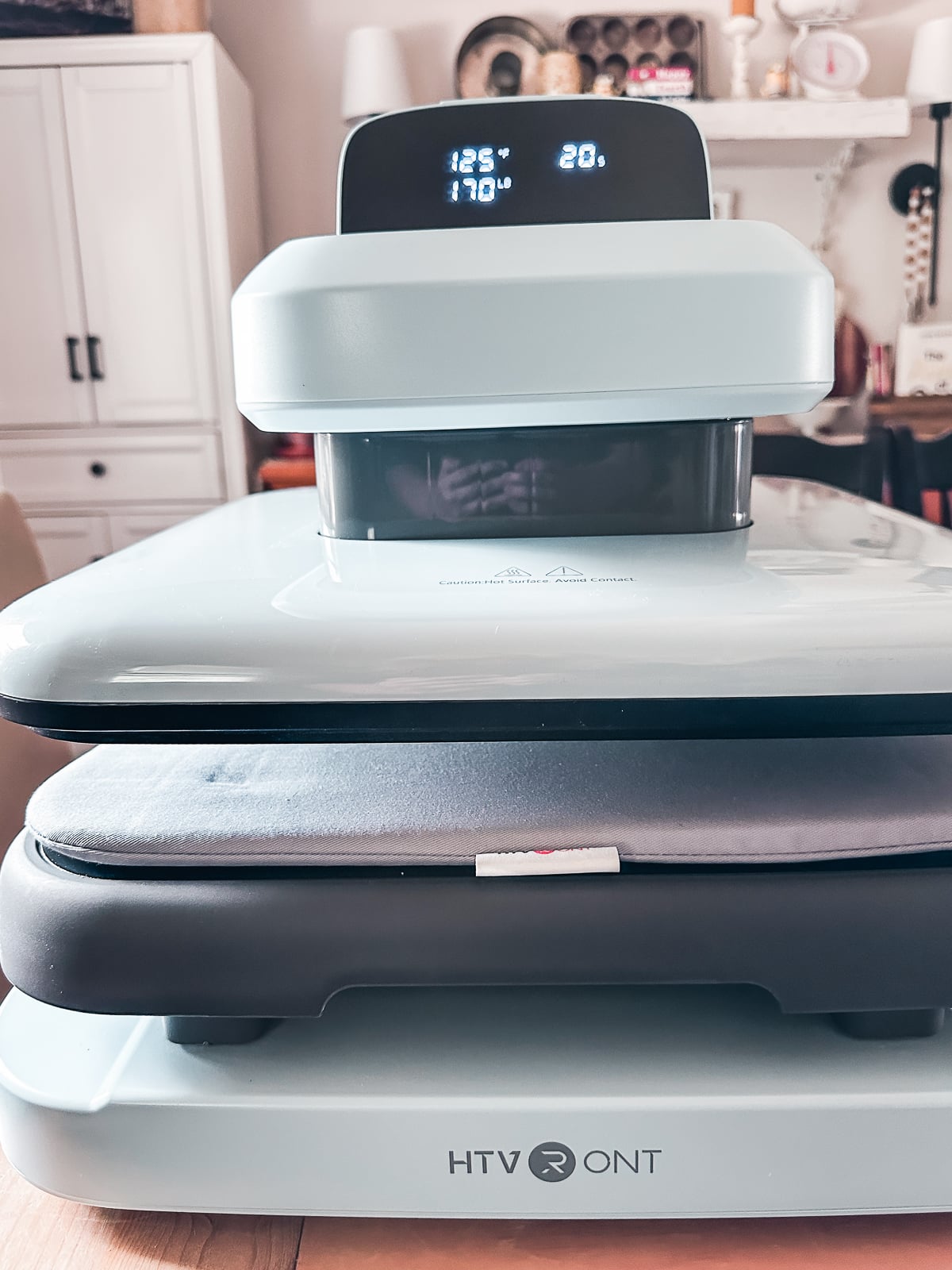
The HTVRont Auto Heat Press 2 is an automatic heat press machine designed for home crafters and small business owners. Unlike a traditional clamshell press where you manually push the platen down and hold it, this one does all the work for you.
You load your project onto the slide-out tray, set your temperature, time, and pressure, then press one button. The platen comes down automatically, holds for your set time, and releases on its own. No arm strain, no guessing, no hovering over the machine watching the timer.
It works with HTV (heat transfer vinyl), sublimation paper, DTF transfers, heat transfer paper, and more. The pressing area is large enough for most home projects, and it handles materials up to 4.5cm thick without batting an eye.
Key Features That Set It Apart
1. Zero Arm Strain Auto Press
One click and the platen comes down on its own. If you've ever pressed dozens of shirts in a row with a manual press, you know exactly why this matters. Your arms will thank you.
2. Precision Pressure Control
This is the feature I did not know I needed until I used it. The pressure adjusts from 44 pounds all the way up to 170 pounds, and you set it digitally.
Here's why it matters in real life: when I was pressing glitter HTV onto a canvas tote bag, I needed more pressure than I'd use on a regular t-shirt. Canvas is thicker and more textured, so the HTV needs to be pushed firmly into the weave to bond properly. I set my pressure to 65 pounds for the canvas and got a clean, durable result. With a basic press, you're just guessing.
3. Four Custom Memory Settings
You can save up to four custom presets. I saved my glitter HTV settings, my sublimation settings, my pre-press settings, and my final seal settings. Switching between projects is one button instead of re-entering everything from scratch every single time.
4. Pull-Out Tray for Safe Loading
Instead of reaching under a hot platen to position your project, you pull the tray out, load your item, slide it back in, and press. Your hands never get near the heat. This is such a thoughtful safety feature, especially for beginners.
5. Tilting Display Screen
The digital display tilts so you can see your settings from whatever angle you're working at. It sounds like a small thing until you're working at a table and realize you can actually read the screen without craning your neck.
6. 15-Minute Auto-Off
If the press sits idle for 15 minutes it shuts itself off. I walked away to answer the door mid-project and did not panic once because I knew it would take care of itself. For anyone who has ever left a regular iron on, this feature alone is worth celebrating.
7. Heats Up in Under 5 Minutes
My previous press took close to 10 minutes to reach pressing temperature. The HTVRont Auto Heat Press 2 was ready in under 5. For anyone doing multiple projects or batch pressing, this adds up fast.
My Project: America 250 Glitter HTV Tote Bag
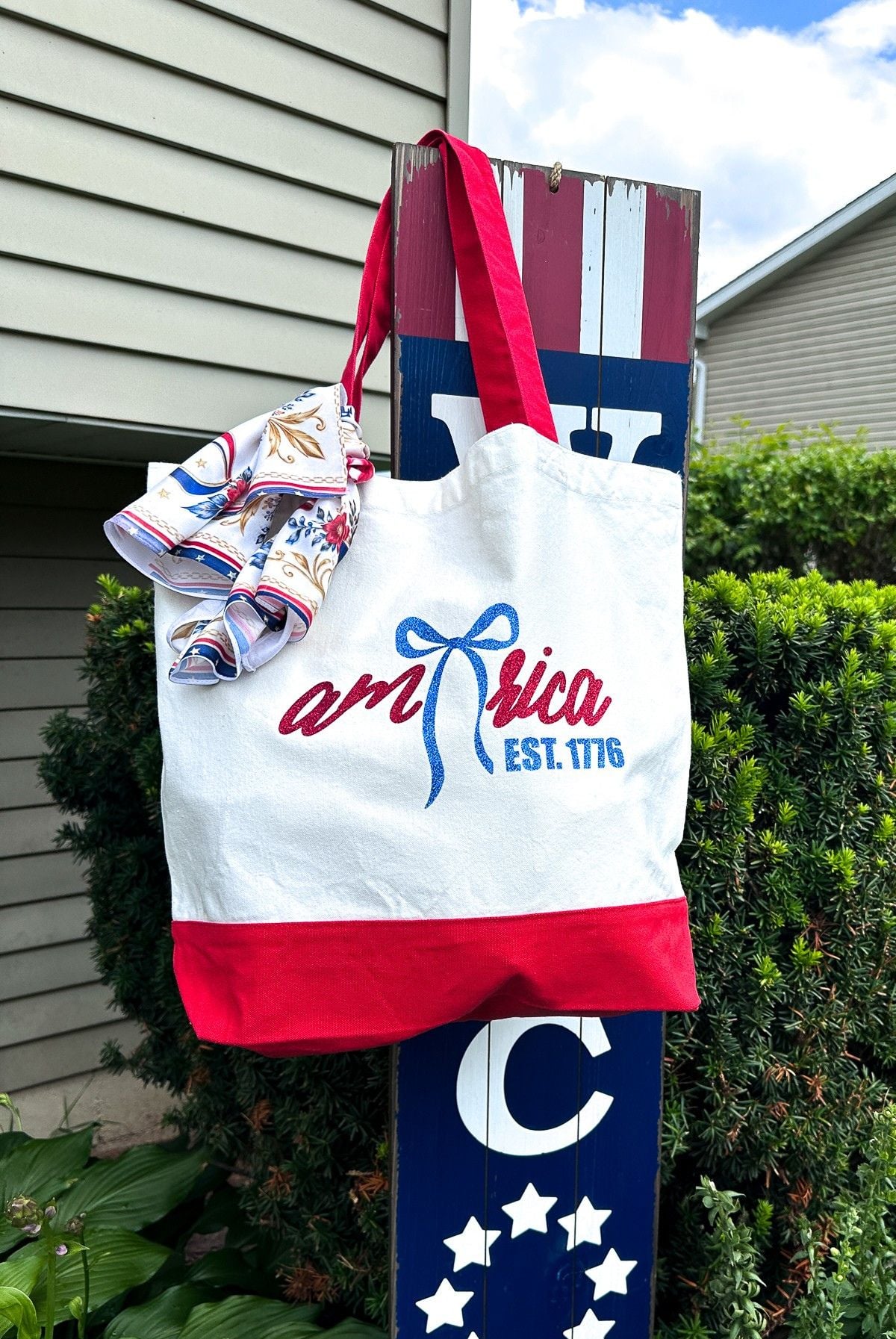
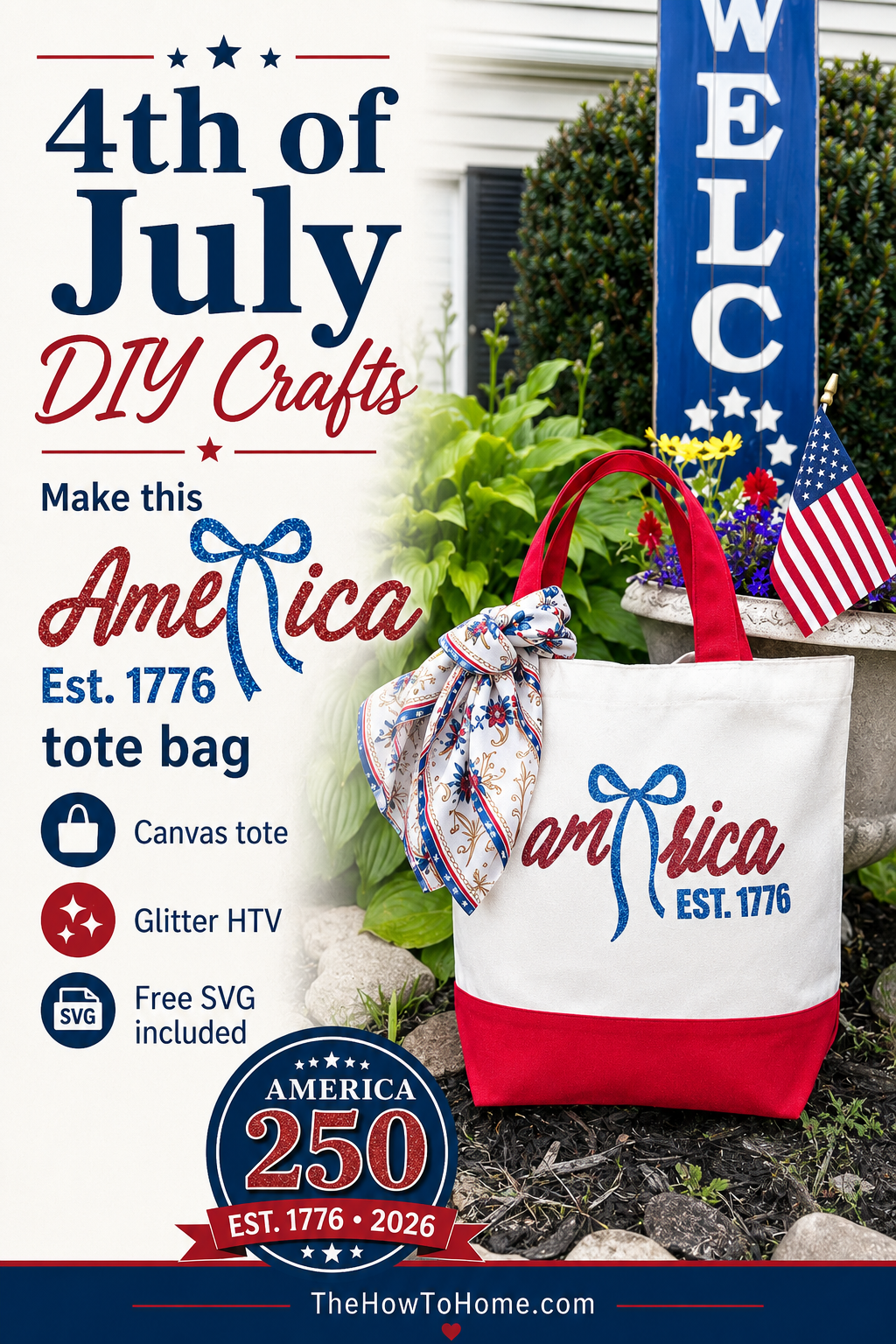
I used the press to make a patriotic glitter HTV tote bag to celebrate America's 250th birthday. Here's what I used:
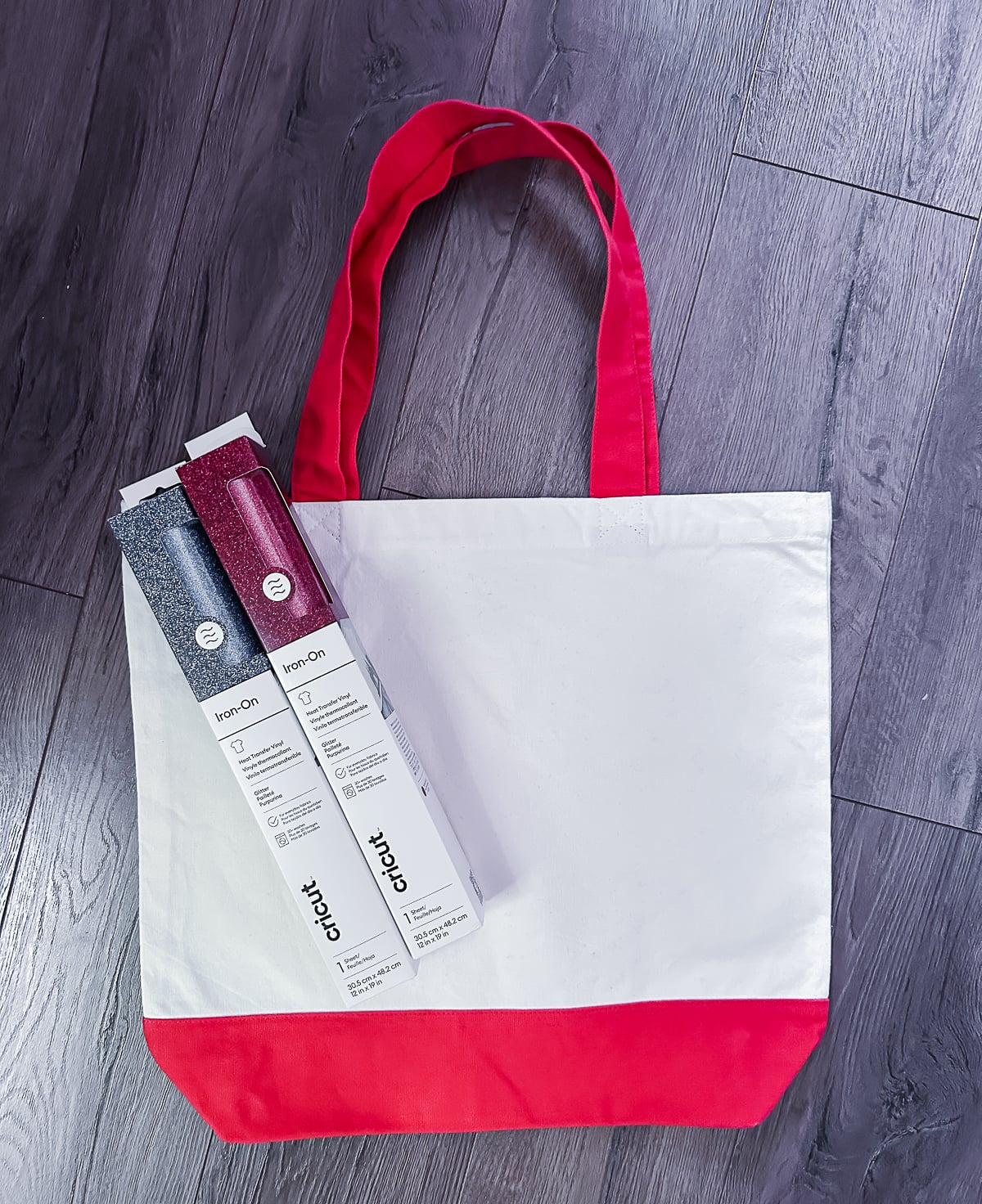
| Supplies used: HTVRont Auto Heat Press 2 (use code MARY10 for $52 off) Red Glitter HTV Navy/Blue Glitter HTV Canvas Tote Bag with Red Handles Cricut cutting machine (for cutting the HTV) Free SVG design: Download the free America Est. 1776 cut file here |
The Design
I created the "America Est. 1776" design myself in Cricut Design Space and I am offering it as a FREE cut file download. The design features a script "america" in red glitter HTV with a navy glitter bow replacing the letter E, and "EST. 1776" in navy glitter below. It is a two-color design that cuts and weeds cleanly.
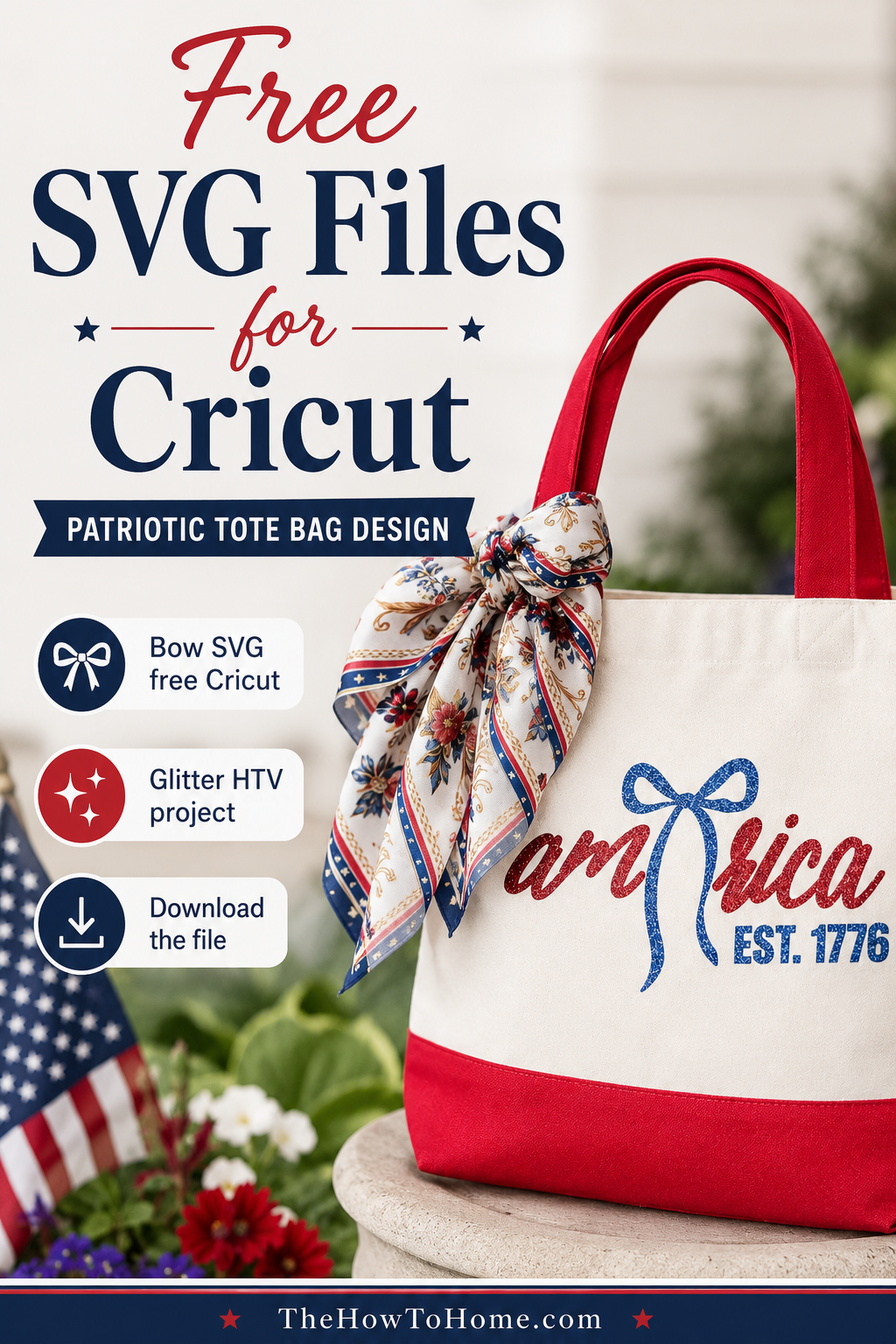
Get the free SVG cut file here: [SVG DOWNLOAD LINK]
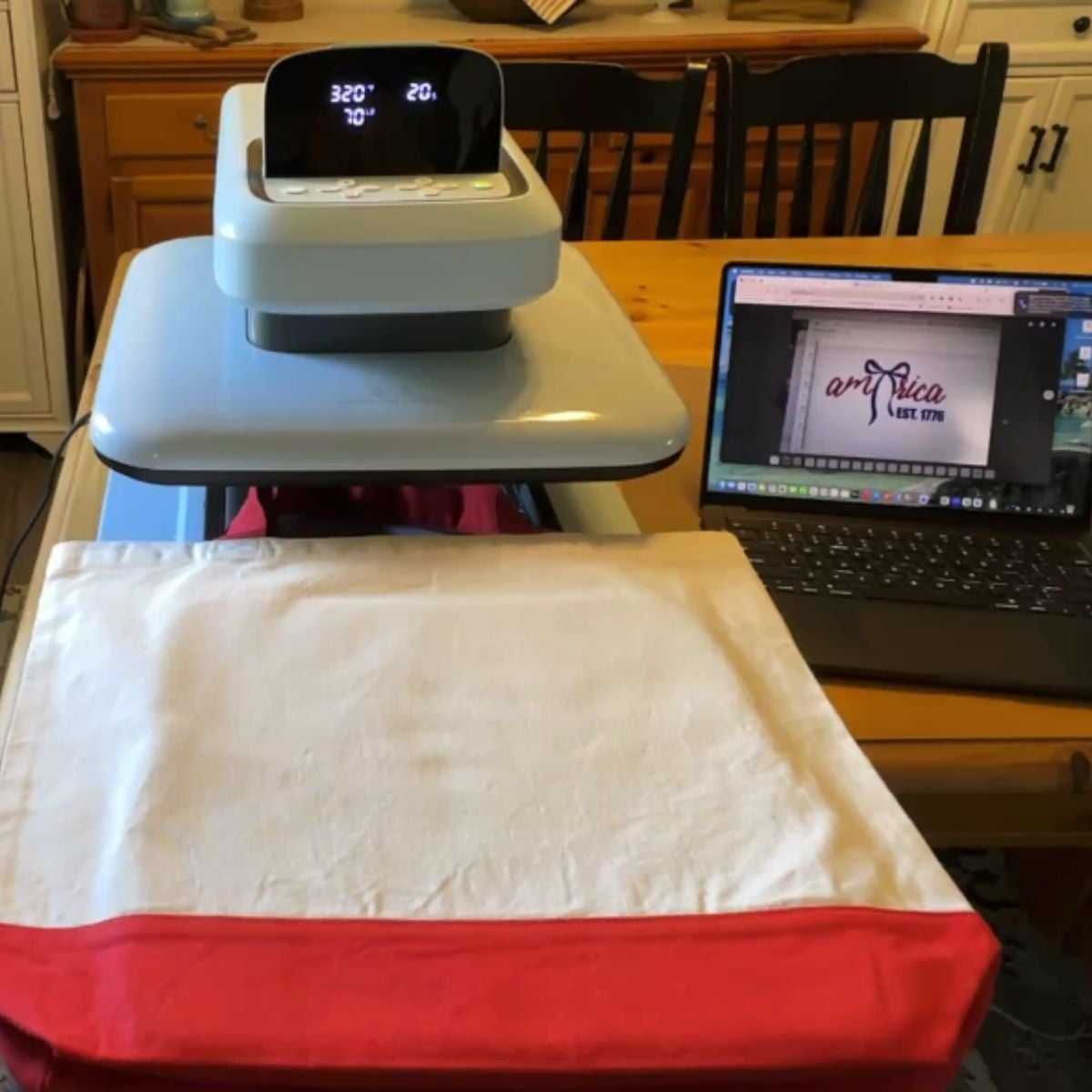
Important Tips for Glitter HTV
A few things I learned that make a real difference with glitter HTV:
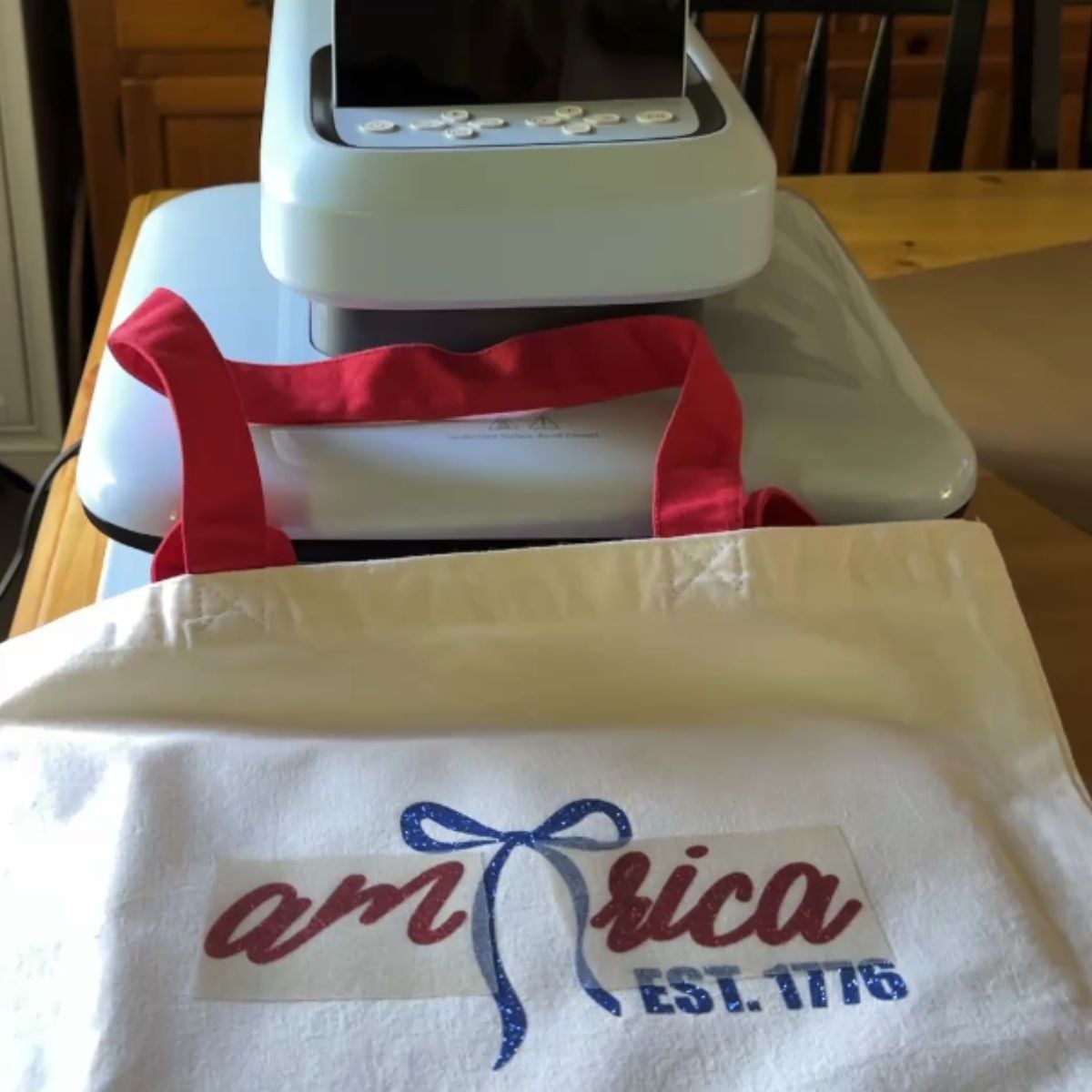
- Load HTV shiny side DOWN on your Cricut mat
- Always mirror your design before cutting - this is non-negotiable
- For canvas bags, use FIRM pressure on the press (I used 70 lbs) - canvas is thicker than a t-shirt and needs more pressure to bond properly
- Temperature: 325°F, Time: 18 seconds for glitter HTV on canvas
- Peel COLD - let it cool completely before peeling the carrier sheet. Glitter HTV peels differently than regular HTV and you risk separating the glitter if you peel warm
- Insert a pressing pillow or heat press mat inside the bag before pressing to give the front panel a firm, flat surface
- Always use your Teflon sheet over glitter HTV, never press it directly
The Results
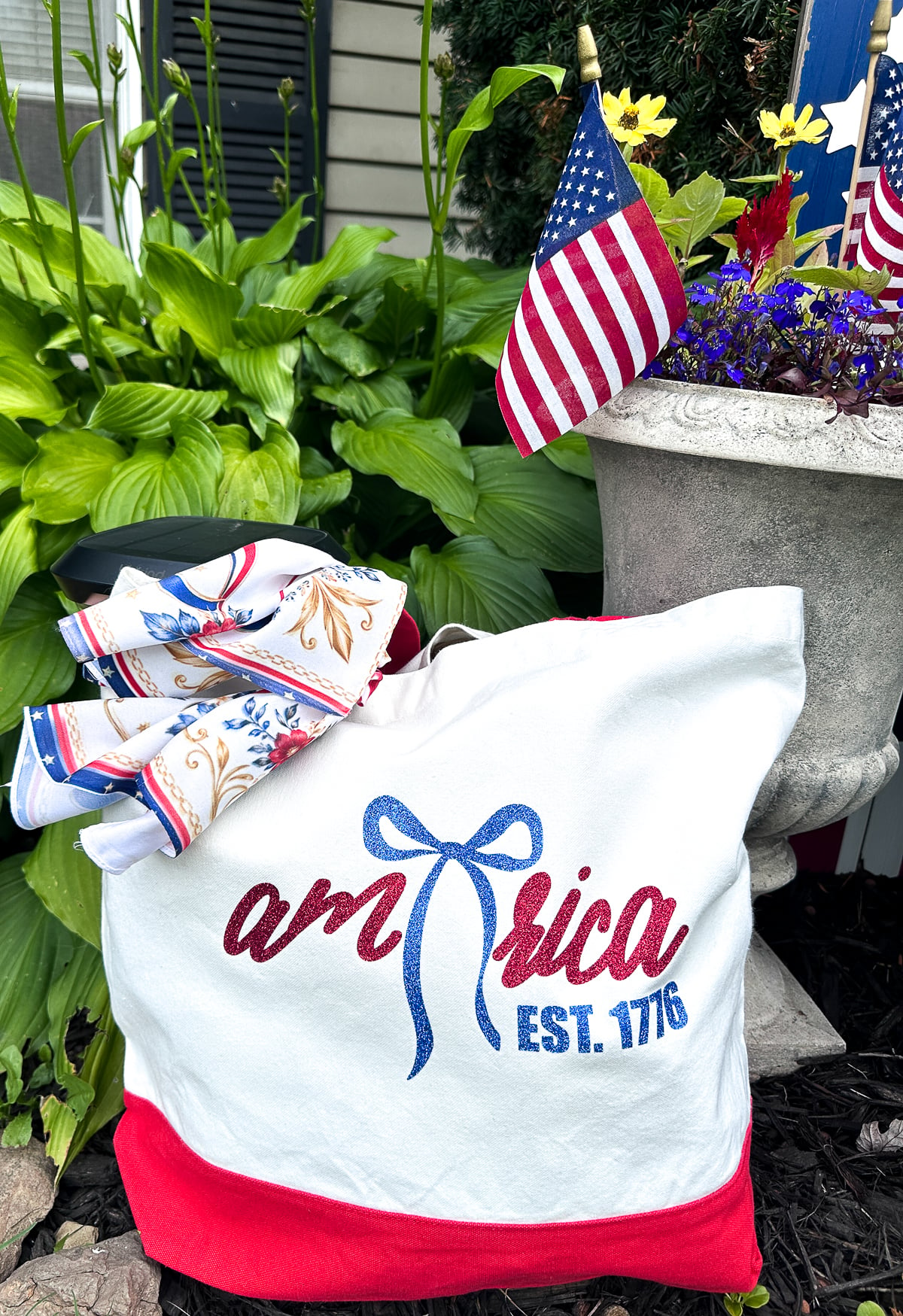
The finished tote bag came out beautifully. The red glitter script and navy glitter bow and "EST. 1776" are crisp, vibrant, and firmly bonded to the canvas. The glitter catches the light in the most satisfying way.
I also used the press to create a coordinating sublimated bandana scarf - more on that project in an upcoming post. But even just the tote bag alone made me realize how much this press elevates what I can create at home.
My Honest Review of the HTVRont Auto Heat Press 2
What I Love
- The auto-press mechanism is a genuine game changer - one click and it does everything
- Precise pressure control made a real difference on my canvas tote bag project
- Four custom memory settings save so much time when switching between materials
- The pull-out tray keeps your hands completely away from the heat
- Heats up in under 5 minutes
- 15-minute auto-off gives you peace of mind
- Consistent results every single press - no guessing, no variation
- Works with HTV, sublimation, DTF, heat transfer paper, and more
One Small Quirk
The Teflon sheet occasionally sticks to the platen when it lifts due to static. It releases with a gentle tug and has not caused any issues with my projects. Totally minor but I want to be real with you about everything.
Who This Press Is For
- Beginners who want professional results without the learning curve of a traditional press
- Anyone doing HTV, sublimation, or DTF projects at home
- Crafters who work with different materials and need precise pressure control
- Anyone who has struggled with arm strain from a manual clamshell press
- Small business owners who need consistent, repeatable results
What I love most about HTVRont is that they make a full range of press machines. So as your crafting grows, you can upgrade without ever switching brands.
Bonus Project: Coordinating Sublimated Bandana Scarf
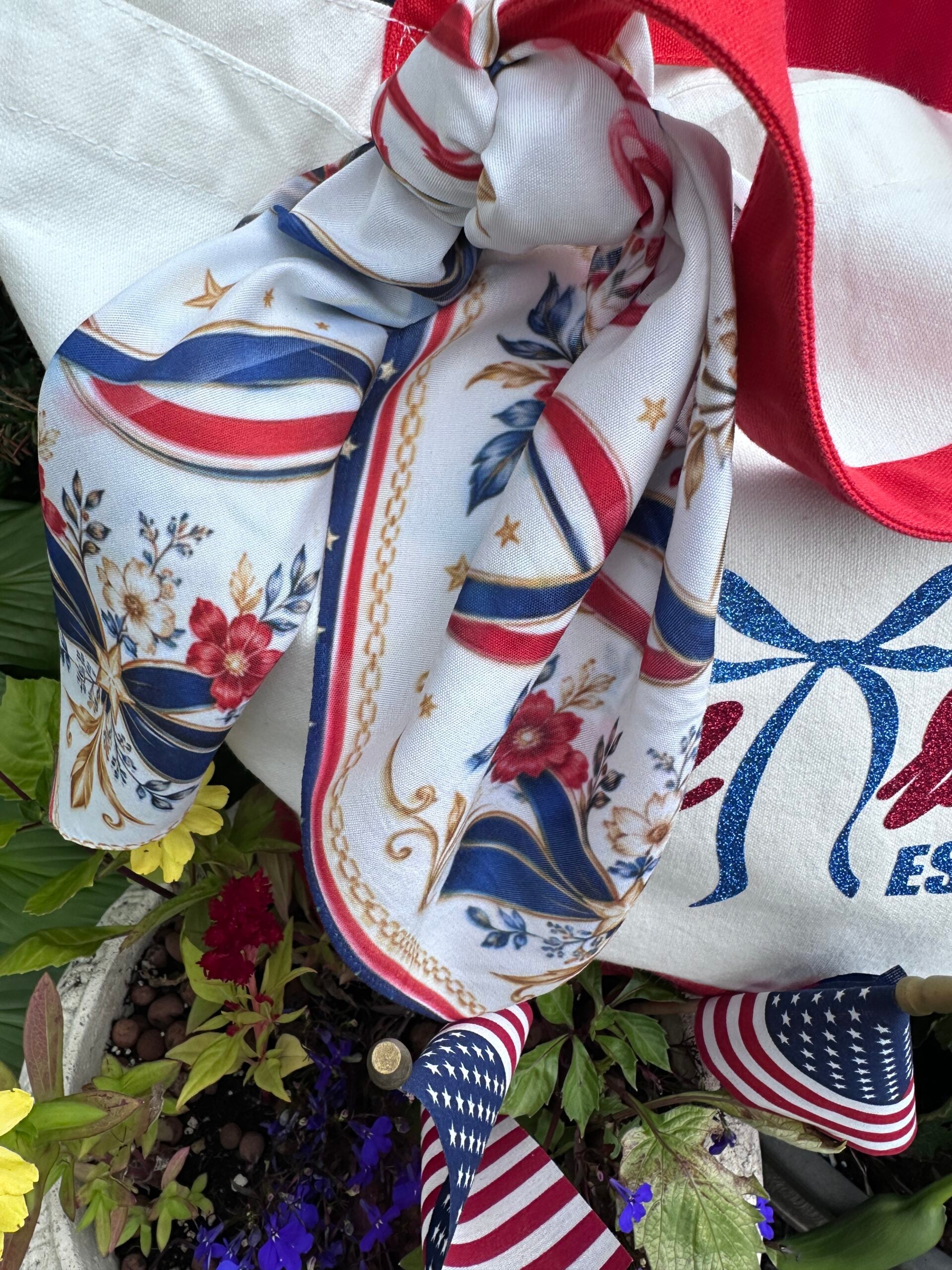
I also used the HTVRont Auto Heat Press 2 to create a coordinating sublimated bandana scarf to go with the tote bag. The scarf features a gorgeous patriotic design I created using AI and it ties Birkin-style on the bag handle for the most stunning finished set.
The sublimation tutorial and the free scarf pattern download are coming very soon in a dedicated post. I will link it right here when it goes live. Trust me, you are going to want to make this one.
Where to Get the HTVRont Auto Heat Press 2
| Ready to make your own patriotic set? Download the free America Est. 1776 SVG cut file below, grab the HTVRont Auto Heat Press 2 with code MARY10 for $52 off, and tag me on Instagram @TheHowToHome when you make yours! GET THE FREE SVG DOWNLOAD |
Q1: What is an auto heat press?
An auto heat press is a heat press machine that automatically presses the platen down and releases it without any manual force from you. You set your temperature, time, and pressure, then press one button. The machine does the rest. This makes it much easier on your arms than a traditional clamshell press, especially for high-volume projects.
Q2: Is the HTVRont Auto Heat Press 2 good for beginners?
Yes, the HTVRont Auto Heat Press 2 is one of the best options for beginners. The auto-press mechanism removes the guesswork of applying consistent pressure, the digital display makes settings easy to read and adjust, and the pull-out tray keeps your hands away from the heat. The four custom memory settings also mean you can save your settings once and reuse them every time.
Q3: What materials can I use with the HTVRont Auto Heat Press 2?
The HTVRont Auto Heat Press 2 works with HTV (heat transfer vinyl), sublimation paper, DTF (direct to film) transfers, heat transfer paper, and more. It handles a wide range of materials and fabric types including cotton, canvas, polyester, and blends. The pressure adjusts from 44 to 170 pounds to accommodate different materials and substrates.
Q4: What temperature and time settings should I use for glitter HTV?
For glitter HTV on a canvas bag, I used 322 degrees F, 18 seconds, and 65 pounds of pressure. For glitter HTV on a t-shirt or softer fabric, you can use similar temperature and time but reduce pressure to around 40 to 50 pounds. Always use a Teflon sheet over glitter HTV and peel COLD, not warm.
Q5: Why should I use more pressure for canvas than for a t-shirt?
Canvas is a thicker, more textured fabric than a soft jersey t-shirt. If you use the same pressure you would use on a t-shirt, the HTV may not bond fully into the canvas weave. You will think it looks fine right after pressing, but it can peel after the first wash. Increasing your pressure to around 60 to 70 pounds for canvas pushes the HTV firmly into the fabric texture and creates a lasting bond.
Q7: How is an auto heat press different from a clamshell heat press?
A clamshell heat press requires you to manually push the upper platen down and hold it with your arm for the duration of the press cycle. An auto heat press like the HTVRont Auto Heat Press 2 does this automatically with one button press. The auto press is easier on your body, provides more consistent pressure across every press, and is generally safer since you are not reaching under a hot platen to load projects.
Q8: Where can I get a discount on the HTVRont Auto Heat Press 2?
Use code MARY10 at checkout on htvront.com to save $52 on the Auto Heat Press 2. You can shop the HTVRont Auto Heat Press 2 here.