How I Used AI Kitchen Design Tools to Plan My Dream Renovation
AI kitchen design tools have completely changed the way I think about renovation planning and I wish I had discovered them years ago.
I have a 1970s kitchen. The original cabinets. The original countertops. A layout that has never once made me happy no matter how many times I have rearranged things, painted, or tried to work with what I have.
Over the years I have done my best to make it work. I removed some cabinets. I added an antique dresser that I love. I brought in a set of pantries from Amazon and added some open shelving. I even redid the floors about eight years ago and those I genuinely love. But underneath all of those band-aids the kitchen is still fundamentally the same 1970s galley kitchen it has always been and it still makes me a little sad every single morning.
*This post may contain affiliate links and I'll earn a commission if you shop through them. You can read my full disclosure here.
The problem with dreaming about a kitchen renovation is that renovations are expensive. Very expensive. And if you spend tens of thousands of dollars and the finished result does not look anything like what you had in your head you are stuck with it. Possibly for years. That fear of making the wrong choice has kept me from pulling the trigger on anything major and I know I am not alone in that.
So when I started experimenting with AI design tools I was not expecting much. What I got completely changed how I think about planning a renovation and honestly made the whole process feel fun instead of terrifying.
What AI Design Tools Actually Do
There is a lot of buzz right now about using AI for home design and most of it makes it sound very complicated. It is not. At its most basic an AI design tool lets you describe a space and generates a photorealistic image of what that space could look like. You can specify your style, your colors, your layout, your lighting and the AI builds it out visually in seconds.
I used Midjourney and ChatGPT for my kitchen experiments and the results genuinely surprised me. You do not need to know anything about interior design. You do not need a budget. You do not need to commit to anything. You just describe what you want and see it come to life on your screen.
For someone who has been afraid to make the wrong renovation decision for years that was a game changer.
My Dream Kitchen Experiments
I started by describing my actual kitchen to Midjourney. Galley layout, opens into a dining room, big beautiful original windows that I love even though they need replacing eventually. I told it I wanted something bright, timeless, and classic and asked it to show me what was possible.
The first result stopped me cold.
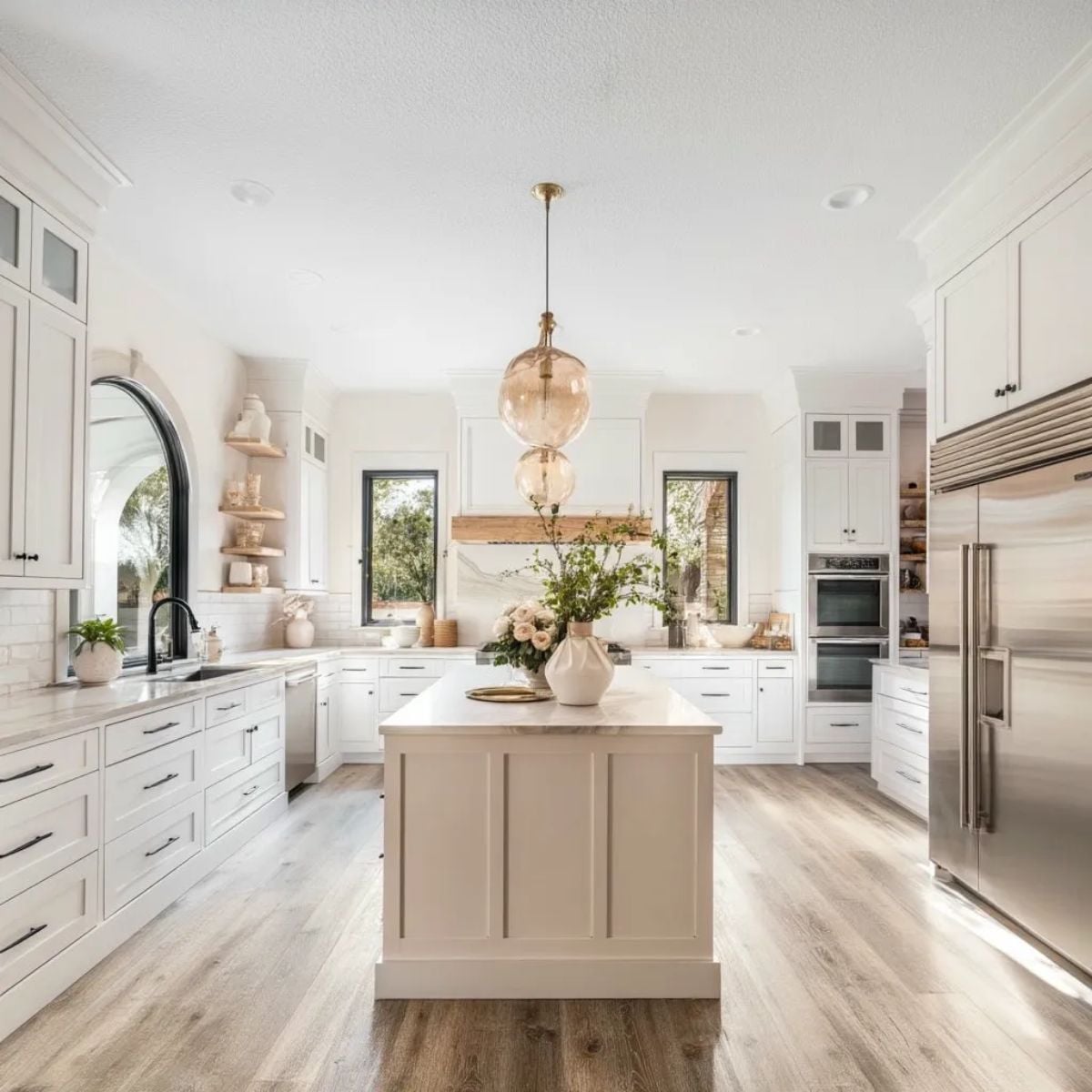
White shaker cabinets. Marble countertops. Warm wood floors. Black hardware. Gold pendant lighting. An island. It was everything I have been picturing in my head for years and seeing it rendered as a photorealistic image made it feel real in a way that a Pinterest board never quite does.
But I did not stop there. Because one of the best things about AI design tools is that changing your mind costs absolutely nothing.
The Green Kitchen I Almost Loved
I asked for something with more color next. Forest green cabinets with gold hardware and a marble herringbone backsplash. Warm wood floors in a herringbone pattern. A round marble dining table just off the kitchen.
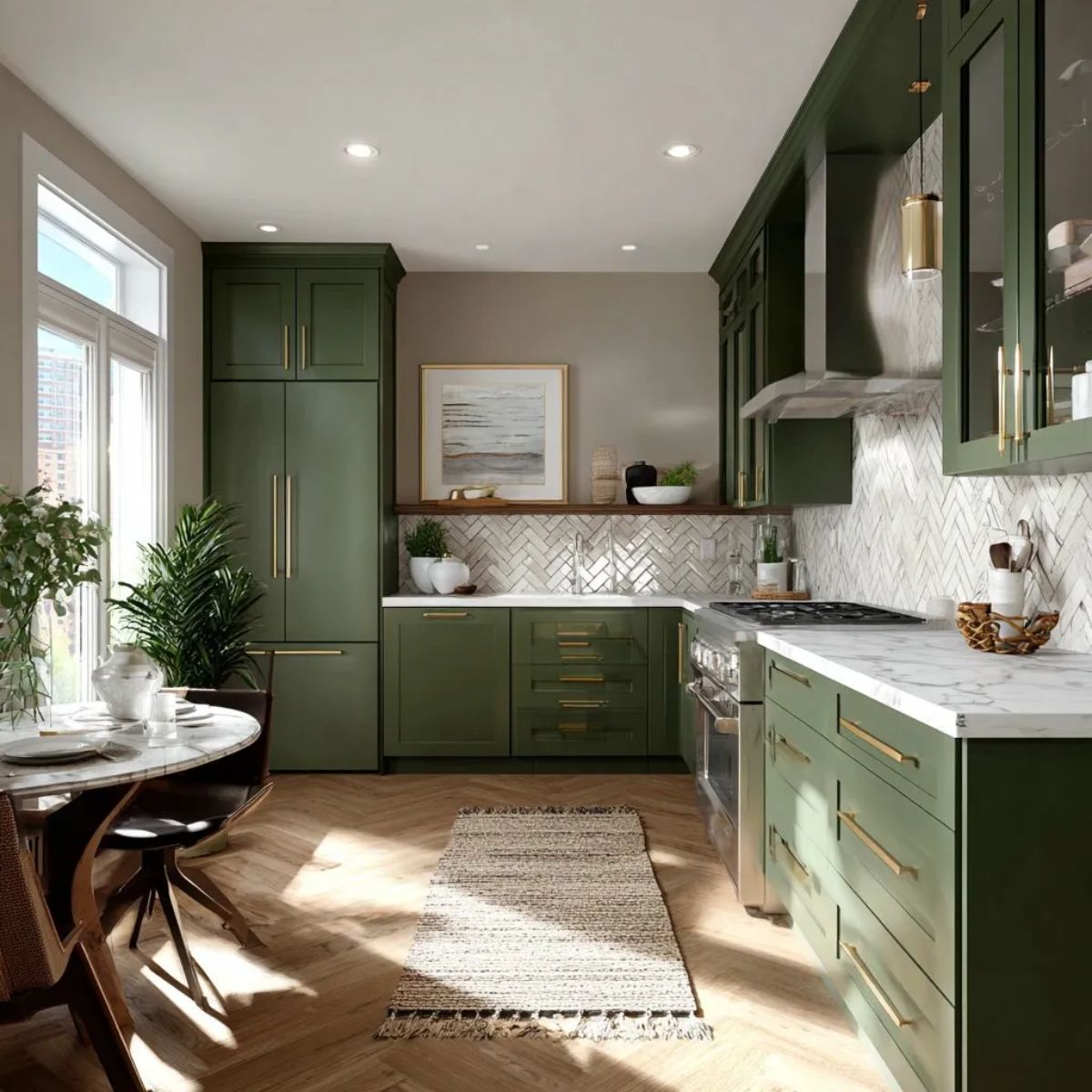
I love this version. It is dramatic and warm and unexpected. But after sitting with it for a while I kept coming back to the bright white version. For my space and the way the light moves through those original windows I think white is the right answer. But I would never have known that with such certainty if I had not seen the green version and been able to compare them side by side.
That comparison alone was worth everything.
The Pink Kitchen My Husband Vetoed
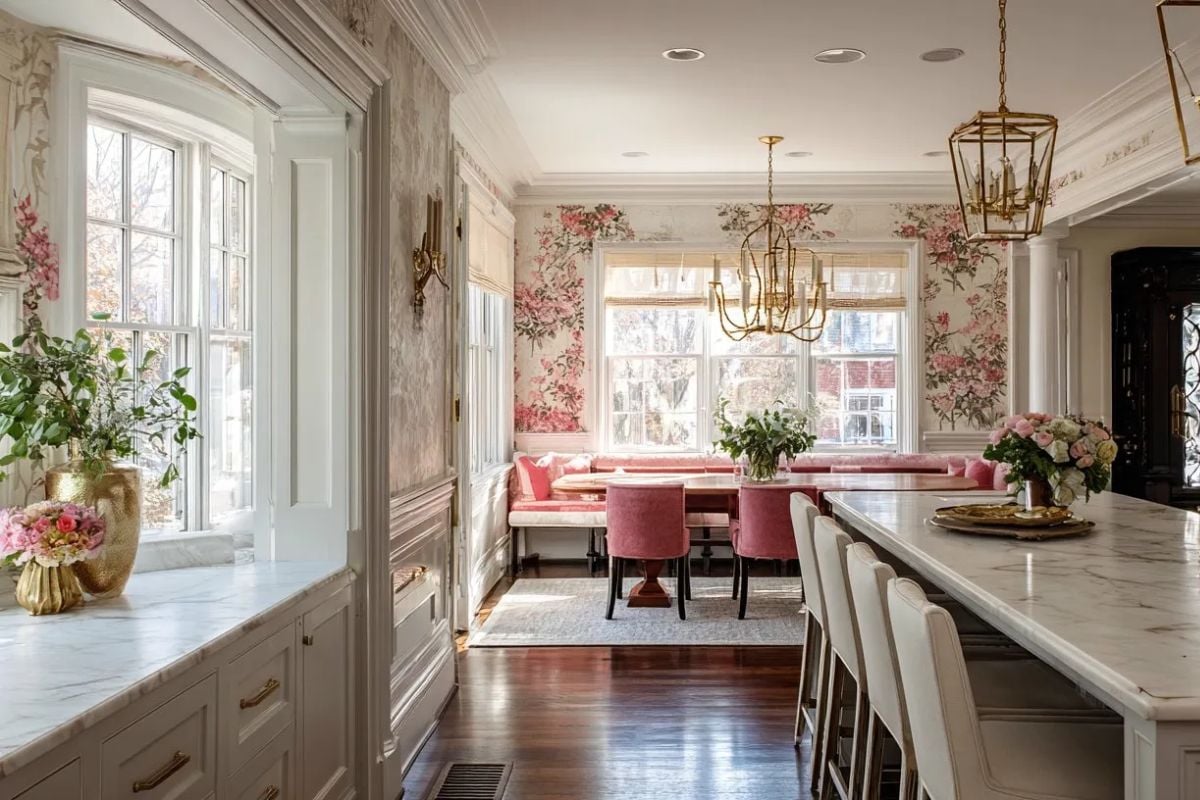
I also generated a version that I absolutely adore and that my husband looked at exactly once before walking away without a word. White cabinets with gold chandeliers. A long marble island. Pink floral wallpaper in the adjoining dining area with a velvet banquette. It is gorgeous and I stand by that. We will simply agree to disagree on this one.
The point is that I got to fall in love with it and let it go without spending a single dollar or having a single argument about grout colors.
Why This Changes Everything About Renovation Planning
The biggest obstacle most of us face when planning a renovation is not money. It is the fear of making the wrong choice. Cabinet colors. Countertop material. Hardware finish. Backsplash pattern. Every decision feels high stakes because reversing it is expensive and time-consuming.
AI design tools remove that fear. When you can generate ten different versions of your kitchen in an afternoon and actually see what each one looks like in a photorealistic image you stop guessing and start knowing. You know which cabinet color works with your floors. You know whether you want open shelving or upper cabinets. You know if that bold backsplash pattern you loved on Pinterest is going to feel overwhelming in your actual space.
You make better decisions because you can see the outcome before you commit to it.
How to Get Started with AI Kitchen Design
You do not need any special software or design experience to try this. Here is exactly how I did it:
Using Midjourney
Midjourney produces the most photorealistic and polished results of anything I have tried. You access it through Discord and there is a free trial available. To get good results be as specific as possible in your description. Include:
- Layout (galley, L-shaped, open concept)
- Cabinet style and color
- Countertop material
- Hardware finish
- Flooring
- Lighting style
- Any specific features like an island, open shelving, or a breakfast nook
The more detail you give it the closer the result will be to your actual vision. My prompt for the white kitchen was something like: bright white shaker cabinet galley kitchen opening to dining room, marble countertops, warm wood floors, black hardware, gold globe pendant lights, large windows, photorealistic interior design.
Using ChatGPT
ChatGPT with image generation is a great option if you want to have a conversation about your design rather than just generate images. You can describe your space, ask for suggestions, talk through what is and is not working and then generate visuals based on that conversation. I found it especially helpful for thinking through layout questions and getting suggestions I had not considered.
Tips for Getting the Best Results
- Save every version you generate even if you do not love it. Sometimes an image you dismissed becomes useful later as a reference for what you do not want.
- Generate the same prompt multiple times. AI tools produce different results from the same input and sometimes the third or fourth version is the one that clicks.
- Try styles you would never actually choose. I generated a dark moody kitchen I would never live in and it helped me understand exactly why I love light bright spaces so much.
- Share your results with whoever has to live with the renovation. Showing my husband the images made our conversations so much more productive than describing things verbally.
- Screenshot and save your favorites to a dedicated folder. When you are ready to talk to a contractor or designer you will have a clear visual brief already built.
My Kitchen Is Still the Original 1970s Version
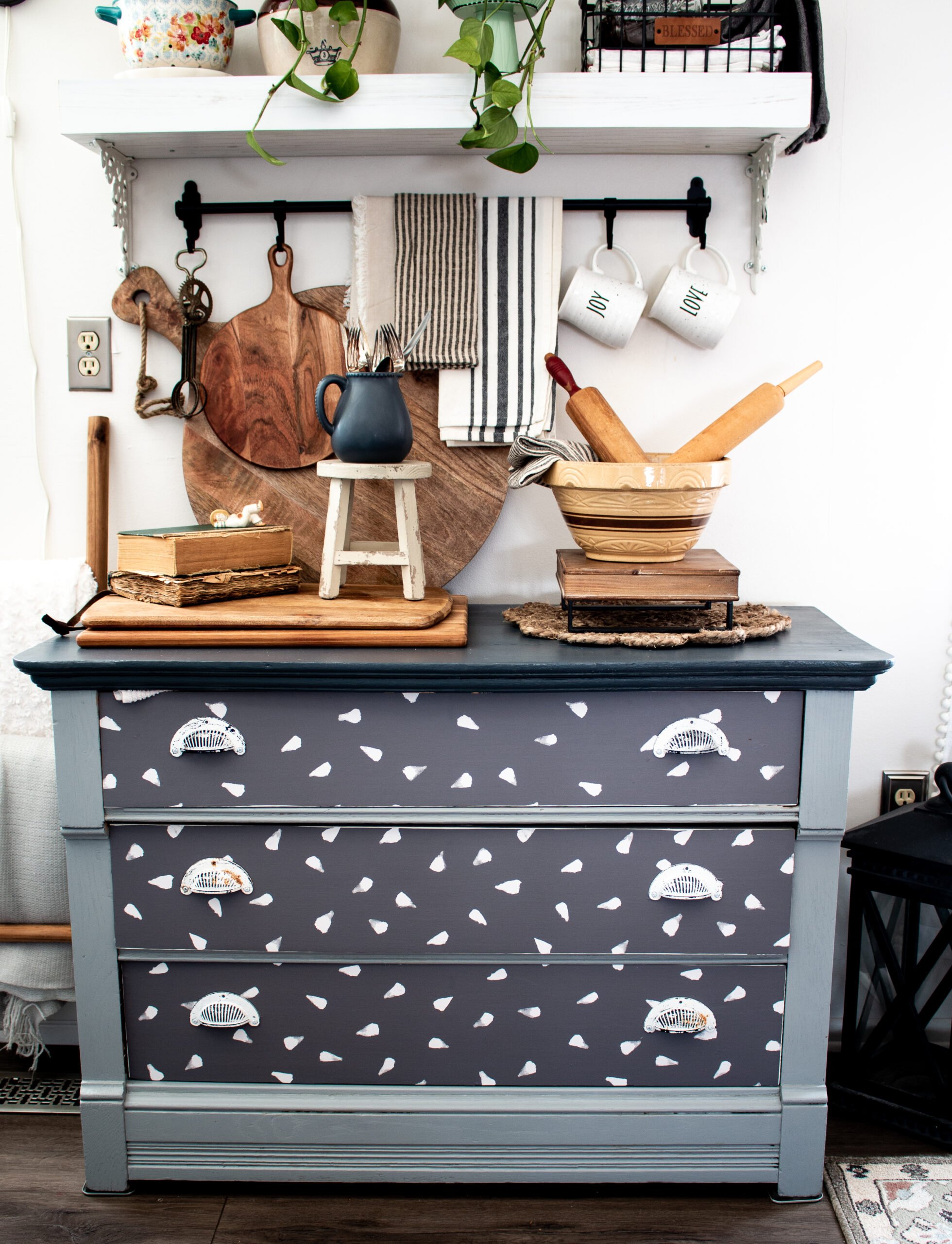
For now my kitchen is still exactly what it has always been. The original cabinets. The original countertops. My beloved new floors. My antique dresser, my Amazon pantries, and my open shelving.
But I know exactly what I want it to become. I can see it clearly. I have seen it in three different versions and compared them and made my choice. When the time and budget are right I will walk into that renovation with total confidence because I have already lived in my dream kitchen on a screen.
That peace of mind is worth more than I can say.
If you have a room you have been afraid to renovate I cannot recommend this process enough. Open up Midjourney or ChatGPT and just start describing. You might be surprised what is waiting for you on the other side of that prompt.